
 Design System
For developers
Dr. Max Design System provides a unified and consistent foundation for building our products. We aim to make the process of developing interfaces more efficient and streamlined by encouraging the use of pre-existing components and design tokens.



Design Tokens
Design tokens are visual values that construct and maintain our design system. These values ensure a consistent and scalable visual system across different platforms and devices. Here's an overview of the types of design tokens available:
Color
Our colors are defined using design tokens. Use these color variables to ensure consistency and proper brand representation.
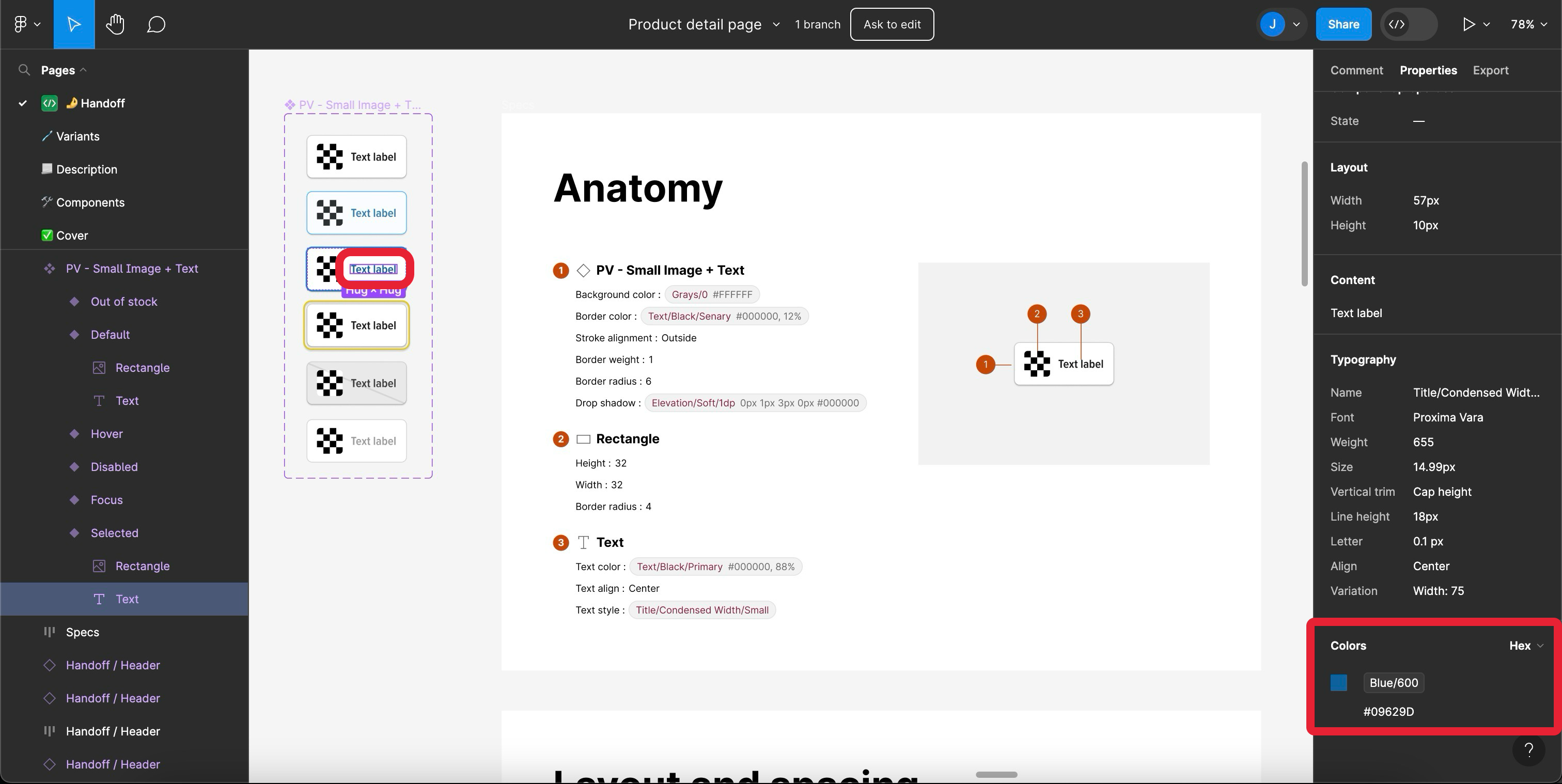
How to inspect the color in Figma
In design you should see what color variable individual elements use and so you just use the existing corresponding variable.
color: $blue-600;
All colors in the design should be from the predefined variables, so there should be no need to define new colors.
Typography
Font families, font sizes, line heights, and letter spacing are standardized through design tokens. Utilizing these token variables ensures appropriate hierarchy and legibility throughout our designs.
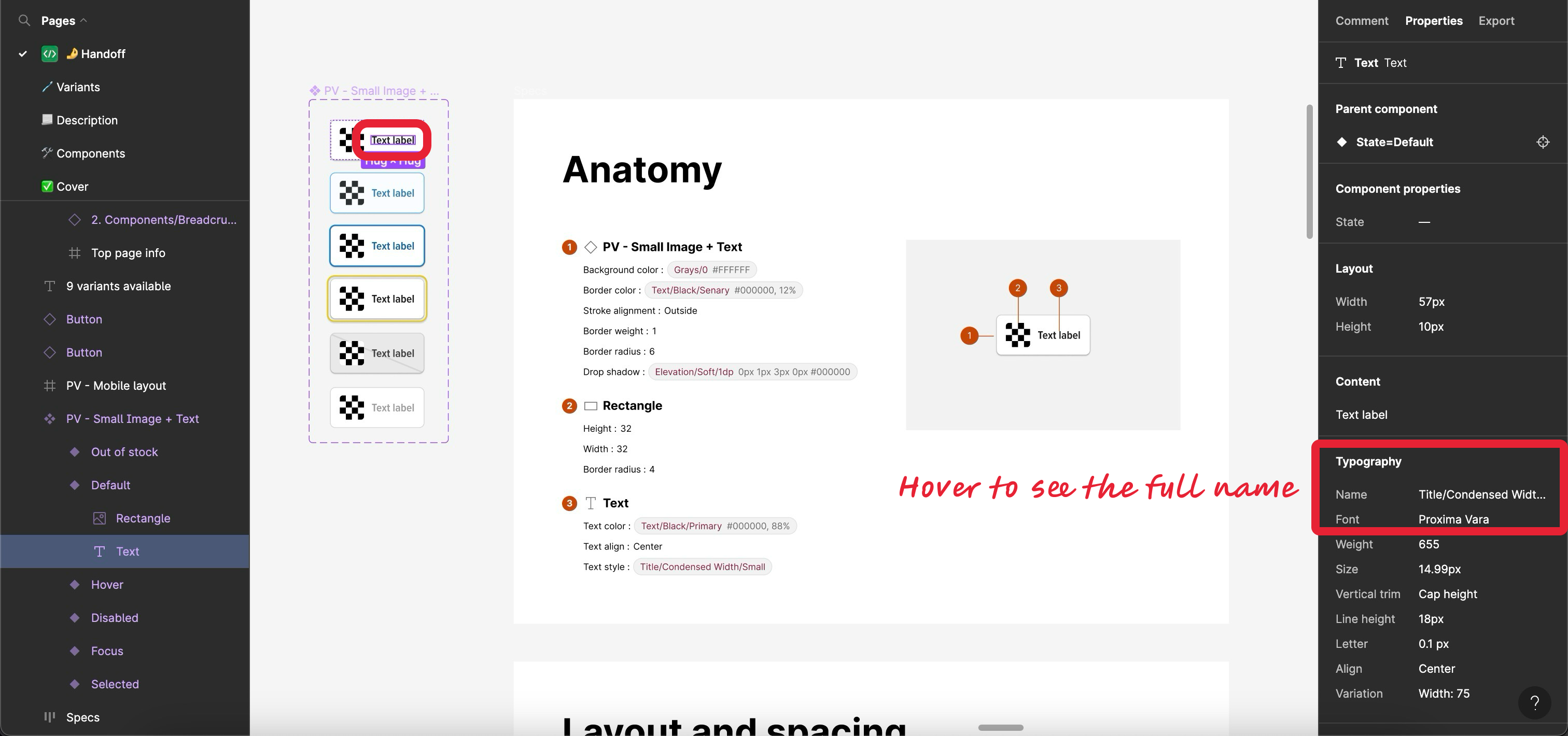
How to inspect typography in Figma
Typography should be annotated in Figma so that you know exactly what to use. Including the mixin as shown below will add all the needed type styles to your element.
@include headline-small;
As of now the naming isn't precisely 1:1, so feel free to have a look at ui-library/assets/styles/typography.scss to find the typography you need. Once again, in new designs there should be no need to implement new typography.
Elevation
Define shadow depths and blur radius consistently using elevation design tokens. Proper use of elevation tokens adds clarity regarding interaction layers within the user interface.
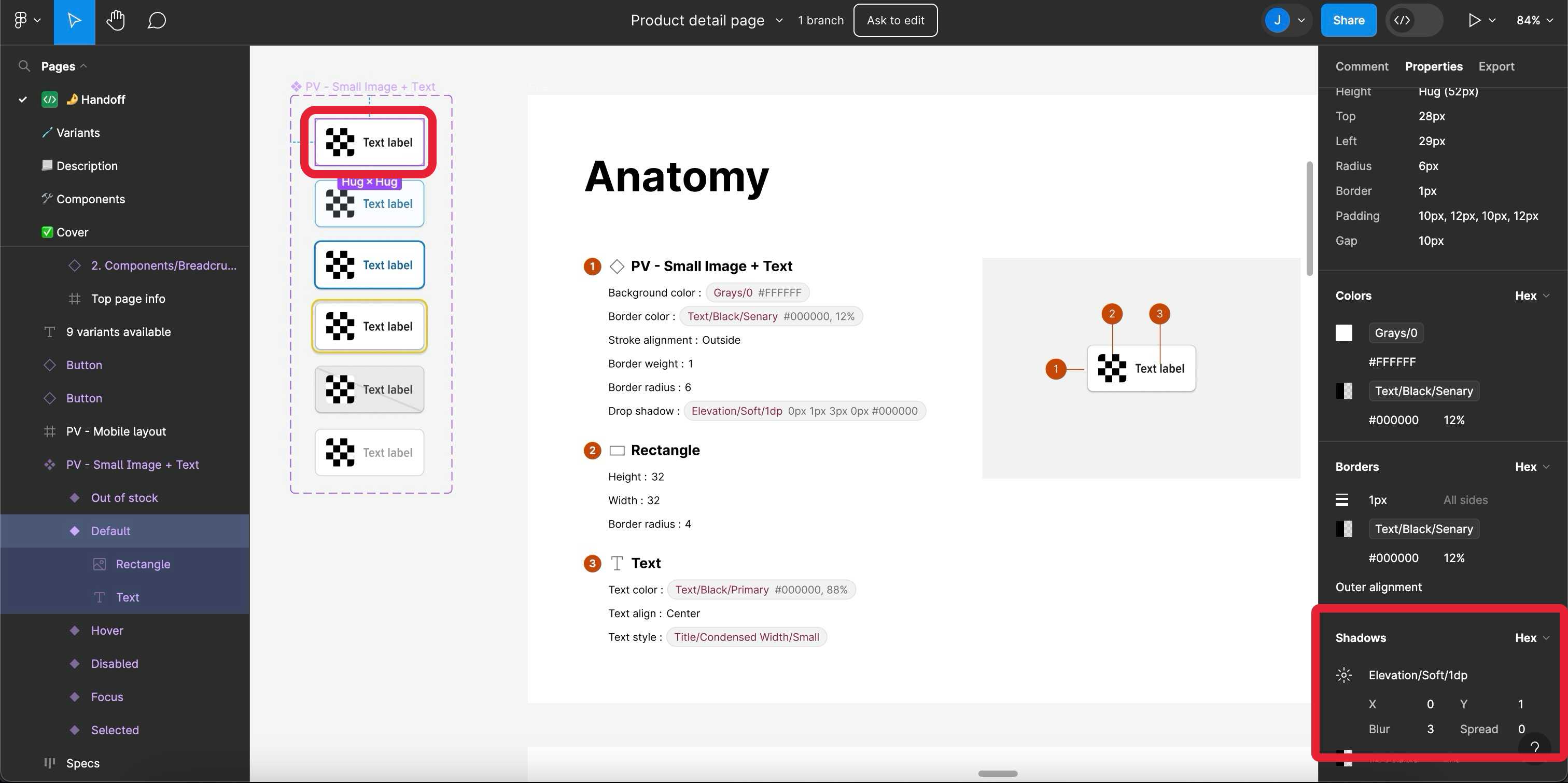
How to inspect elevations in Figma
The elevations should be annotated in Figma, so that you know exactly what to use. In this example we have a soft 1dp elevation, so in your code you do:
box-shadow: $elevation-soft-1dp;
The design tokens don't cover inset box shadows, so if you need to add more shadow styles you just add them to the end.
box-shadow: $elevation-soft-1dp, 0 1px 0 0 #78be20 inset;
Components
We follow the Atomic Design Methodology, dividing our design elements into categories: atoms, molecules, and organisms.
- Atoms: Smallest building blocks such as buttons, inputs, labels, and icons. You can browse already created Atoms here.
- Molecules: Combinations of atoms to create reusable components like text input or quantity. You can browse already created Molecules here.
- Organisms: Organisms consist of multiple molecules combined together to form complex functionalities, such as navigation headers.
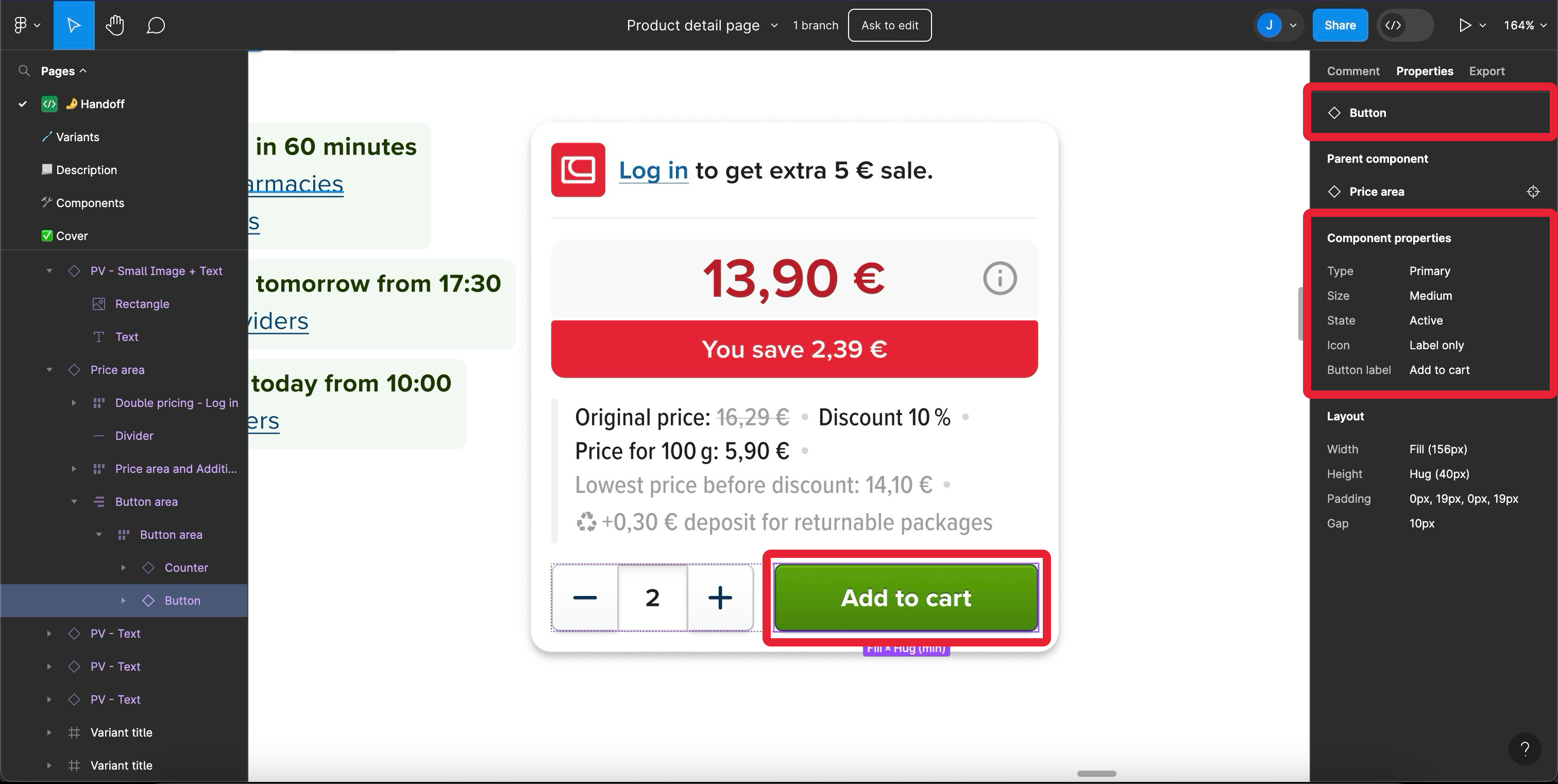
How to inspect a component and its properties in Figma
Please utilize the available components. Before creating a new component, always double-check both Figma and the ui-library to confirm whether a similar component has already been developed. Reusing existing components accelerates development and reduces inconsistencies.
By utilizing design tokens and adhering to our established components, you contribute to maintaining a coherent and consistent experience across our products. Thank you for being part of our effort to improve overall quality while reducing development time and potential errors.